Build your first schedule
The heart of G2 Workforce — shifts, smart suggestions, templates, and more. Go to Schedule →
G2 Workforce is how your league staffs every game, practice, and tournament — then clocks people in and pays them, all in one place. If you’ve ever juggled a spreadsheet of umpires, a group text for call-outs, and a shoebox of timesheets, this replaces all of it.
There are two sides to G2 Workforce, and these docs cover both:
| Who | Where they work | What they do | |-----|-----------------|--------------| | You — manager / coordinator | The Workforce Scheduler (the full left menu) | Build schedules, post open shifts, approve time, run payroll | | Your team — staff | The Staff Portal | See shifts, grab open shifts, set availability, request time off, clock in |
These docs focus on the web experience. A dedicated G2 Workforce mobile app is on the way — it isn’t covered here yet.
When you open G2 Workforce you land on the Dashboard — your command center for the day.
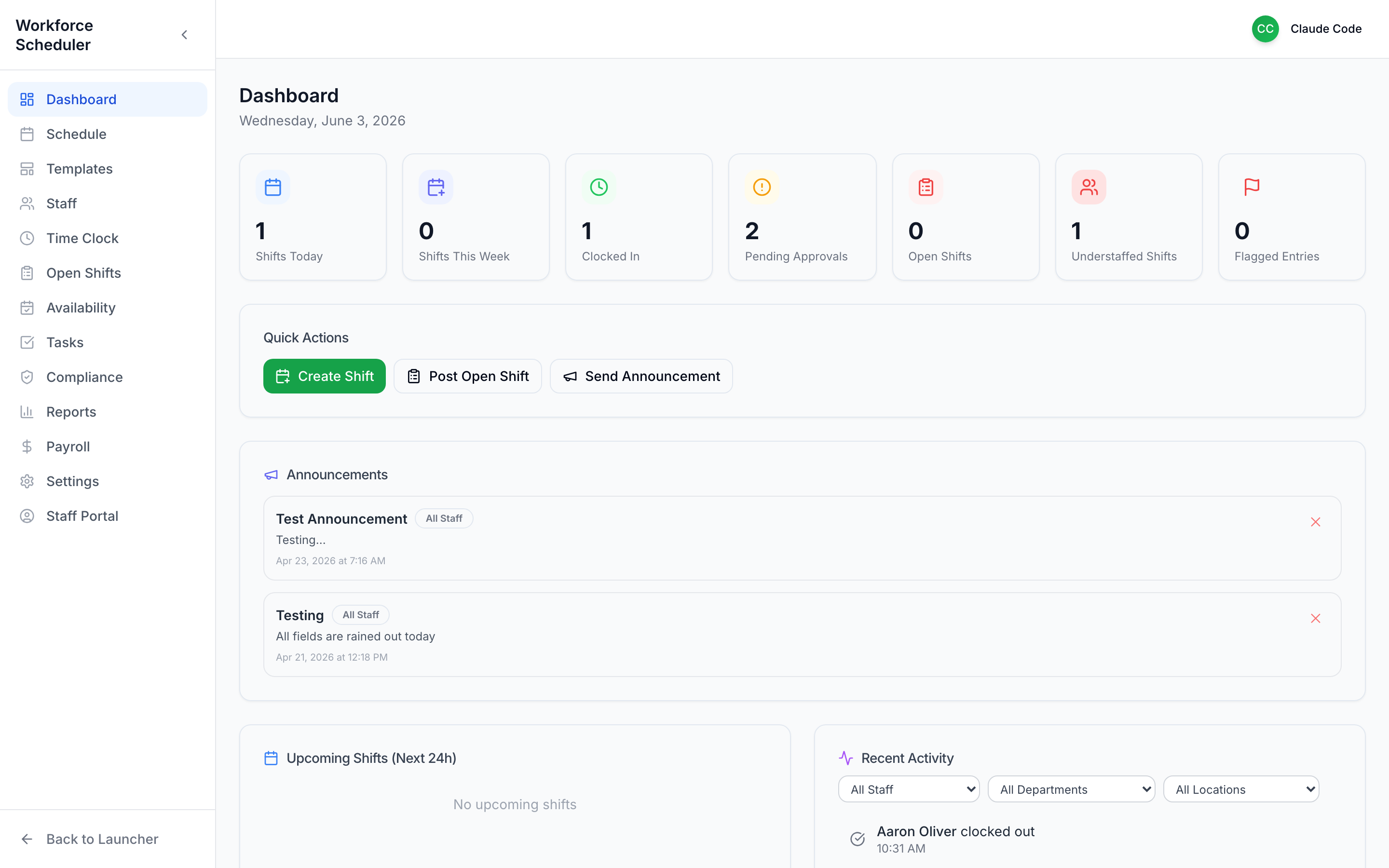 The dashboard: a status strip up top, Quick Actions, announcements, and recent activity.
Here’s the whole product in one screen:
The left menu follows the natural rhythm of running a season:
Dashboard · Schedule · Templates · Staff · Time Clock · Open Shifts · Availability · Tasks · Compliance · Reports · Payroll · Settings · Staff Portal
Build your first schedule
The heart of G2 Workforce — shifts, smart suggestions, templates, and more. Go to Schedule →
See what staff see
Preview the Staff Portal your team lives in. Go to the Staff Portal →
Set it up for your league
Positions, locations, pay rules, and compliance. Go to Settings →
Follow a recipe
Step-by-step plays for game days and tournaments. Go to Workflows →