Dashboard
The Dashboard is your command center. It’s glanceable by design: green is good, and an orange or red count is a gentle nudge.
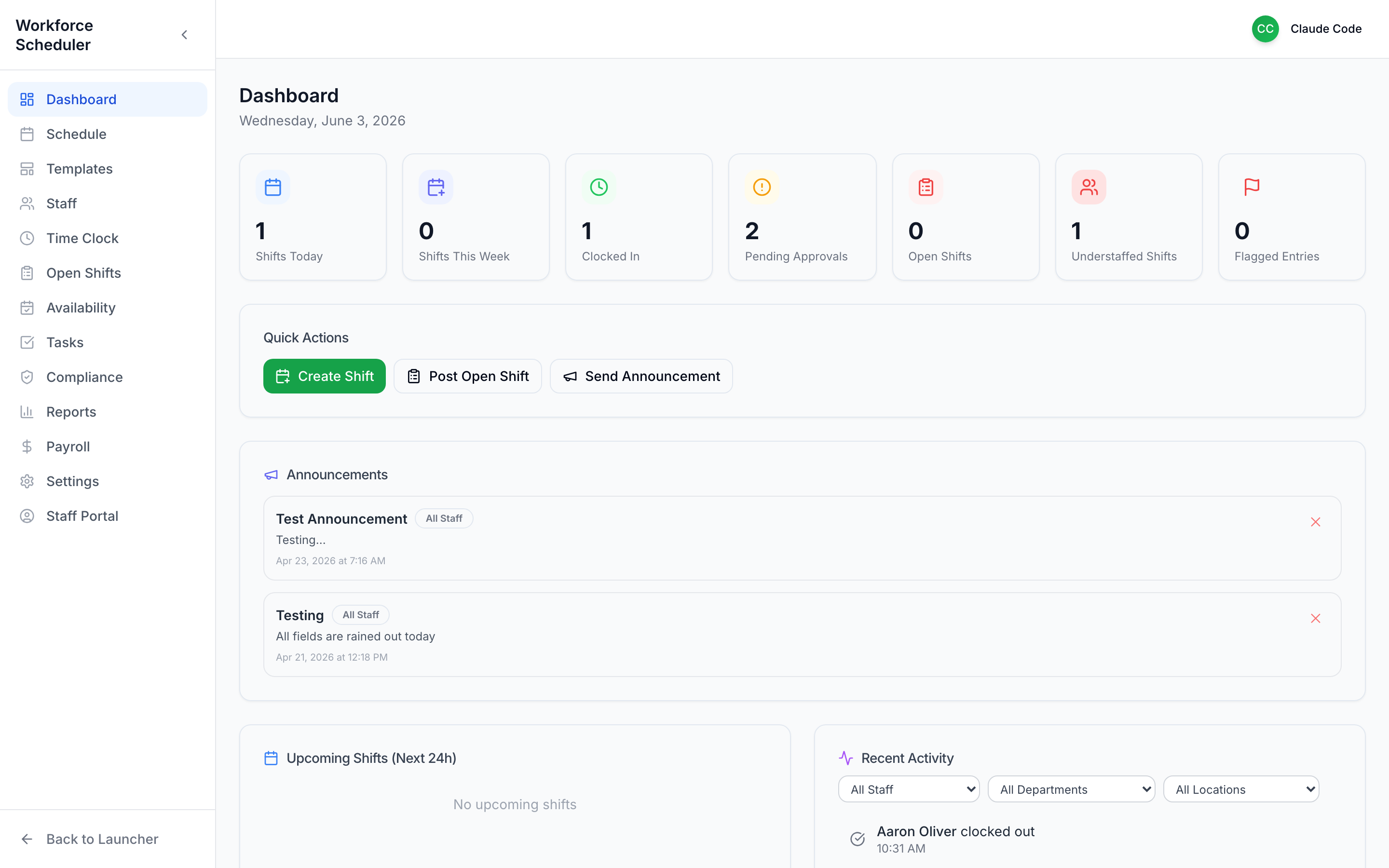 Status strip, Quick Actions, announcements, and recent activity — the whole product in one screen.
The status strip
Section titled “The status strip”The cards across the top answer “what needs me right now?”:
- Shifts Today / Shifts This Week — your coverage at a glance
- Clocked In — who’s on the clock right now
- Pending Approvals — time entries waiting on you
- Open Shifts — posted shifts still unclaimed
- Understaffed Shifts — shifts that still need people
- Flagged Entries — time entries that need a look
Any number that isn’t where you want it is a click away from being fixed.
Quick Actions
Section titled “Quick Actions”The three things you do most, right where you land:
- Create Shift — add a shift to the schedule
- Post Open Shift — let qualified staff claim coverage
- Send Announcement — broadcast to your team
Announcements
Section titled “Announcements”Your league-wide bulletin board. Pick the audience (e.g. All Staff), write your message, and it appears in everyone’s portal and on this feed.
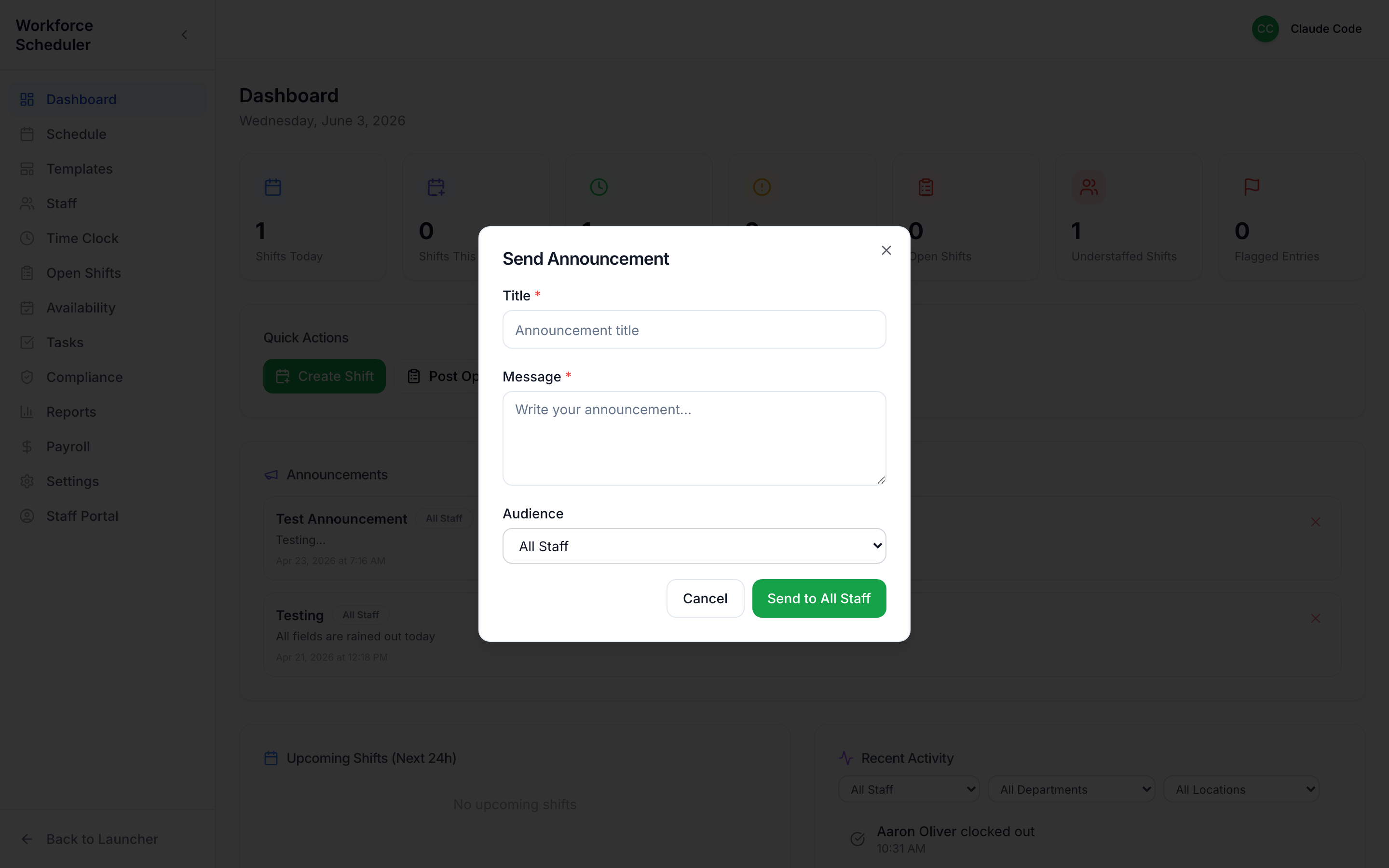 Announcements replace the frantic group text: “All fields rained out today.”
Upcoming Shifts & Recent Activity
Section titled “Upcoming Shifts & Recent Activity”The lower half keeps you oriented without digging — what’s coming in the next 24 hours, and a live feed of clock-ins, claims, and changes (filterable by staff, department, and location).